4.8 stars · 73 ratings on the App Store

Send WhatsApp messages
without saving contacts.
Privacy built in.

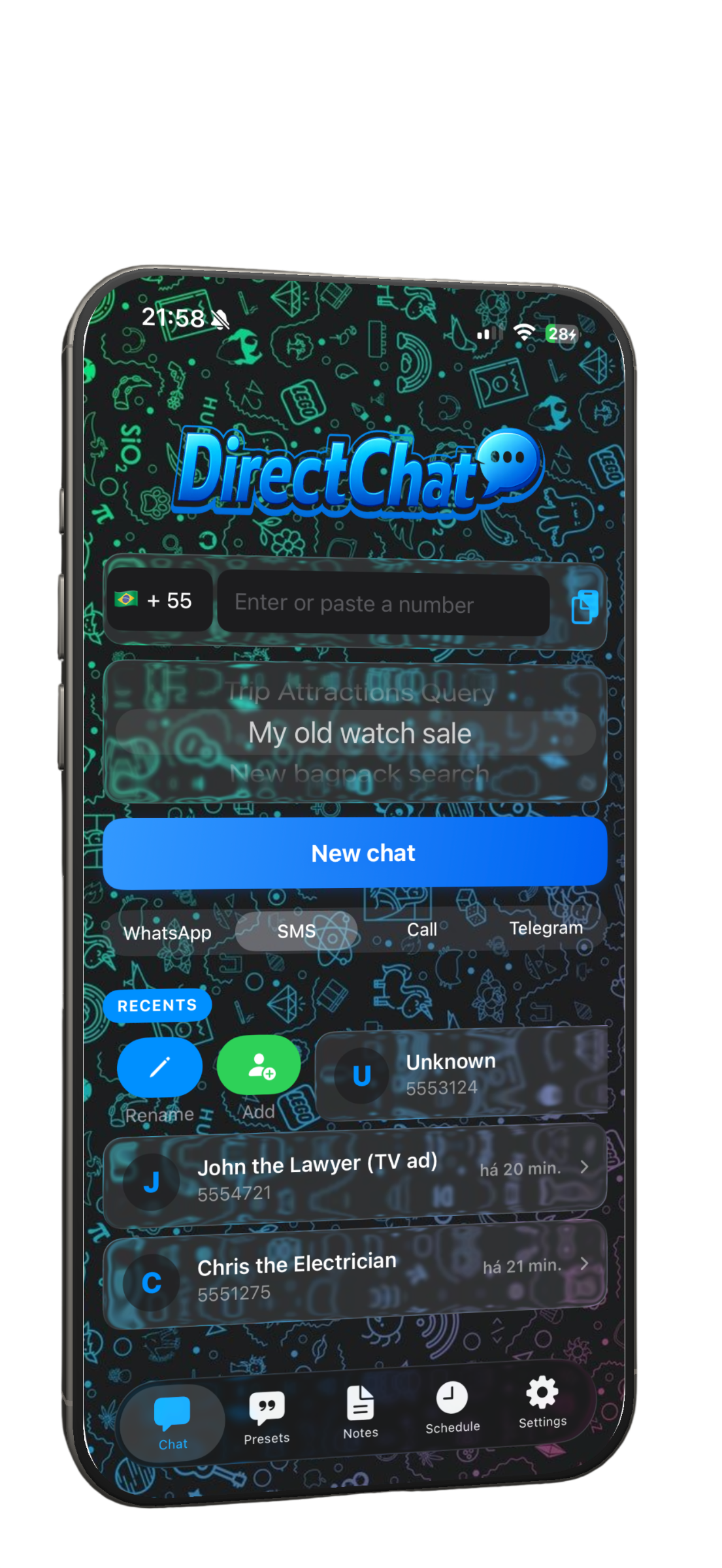
DirectChat opens WhatsApp, SMS, or Telegram directly — just enter a number and start chatting. No contact saved, no profile exposed.

Download on the App Store Free to start · WhatsApp, SMS & Telegram
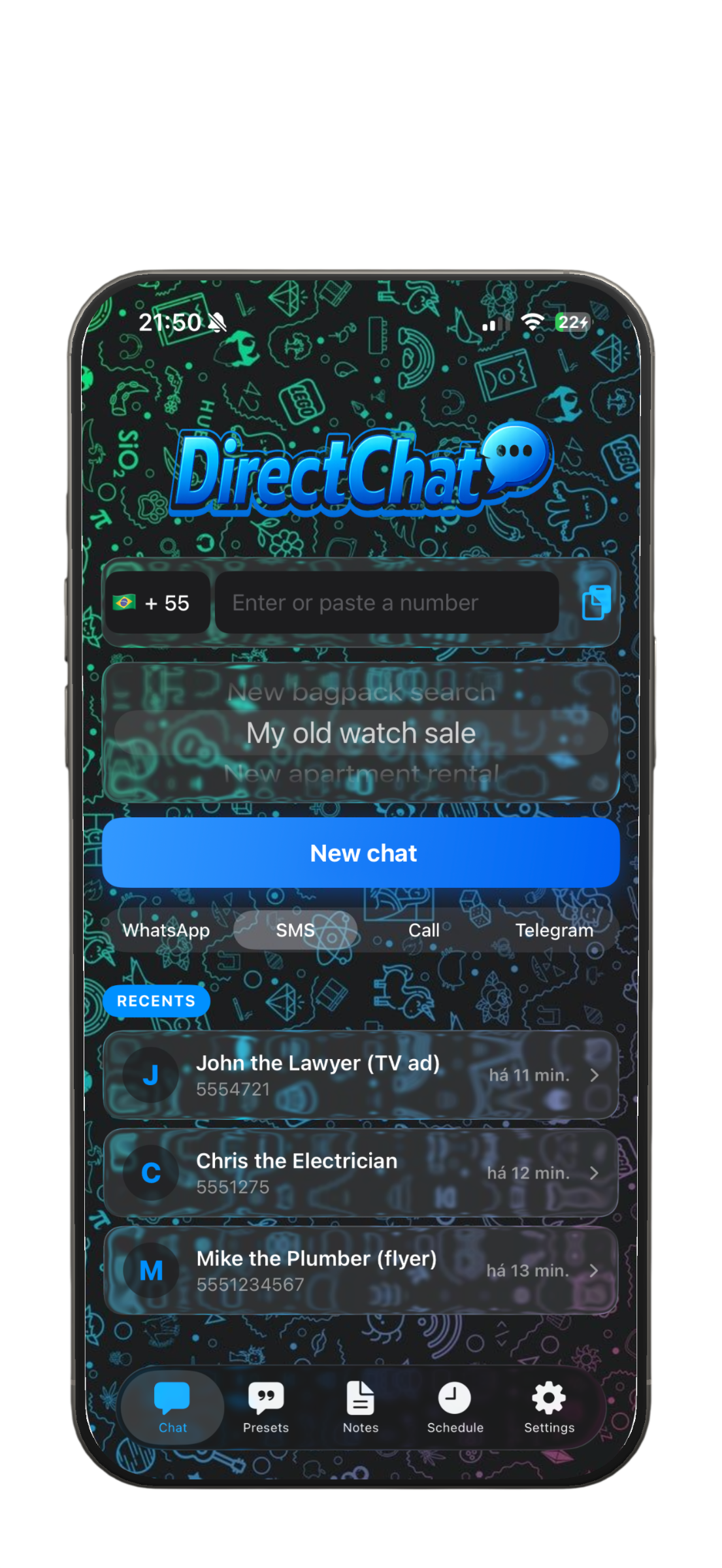
DirectChat main screen showing phone number input for WhatsApp
Direct Message

Open WhatsApp directly.
No contact needed.

Enter or paste any phone number, choose WhatsApp, SMS, or Telegram, and start chatting instantly. The recipient never sees your profile info.

  • Works with WhatsApp, SMS, and Telegram
  • Auto-extract numbers from copied text
  • Country code auto-detected with flags
DirectChat sending a message via WhatsApp
Privacy

Your profile stays
private.

When you add someone as a contact just to send a message, they can see your profile photo, status, and last seen. DirectChat skips that entirely — you chat without exposing anything.

  • No profile photo exposed
  • No last seen or status shared
  • Keep your address book clean
PROFILE HIDDEN
Multi-Platform

WhatsApp, SMS,
Telegram — pick yours.

Switch between messaging platforms with a single tap. DirectChat also auto-detects your country code and shows the flag — and if you copy text with a phone number, only the digits are pasted.

WhatsApp SMS Telegram
SMS ONE TAP SWITCH
Templates

Ready-to-use messages.
Send again and again.

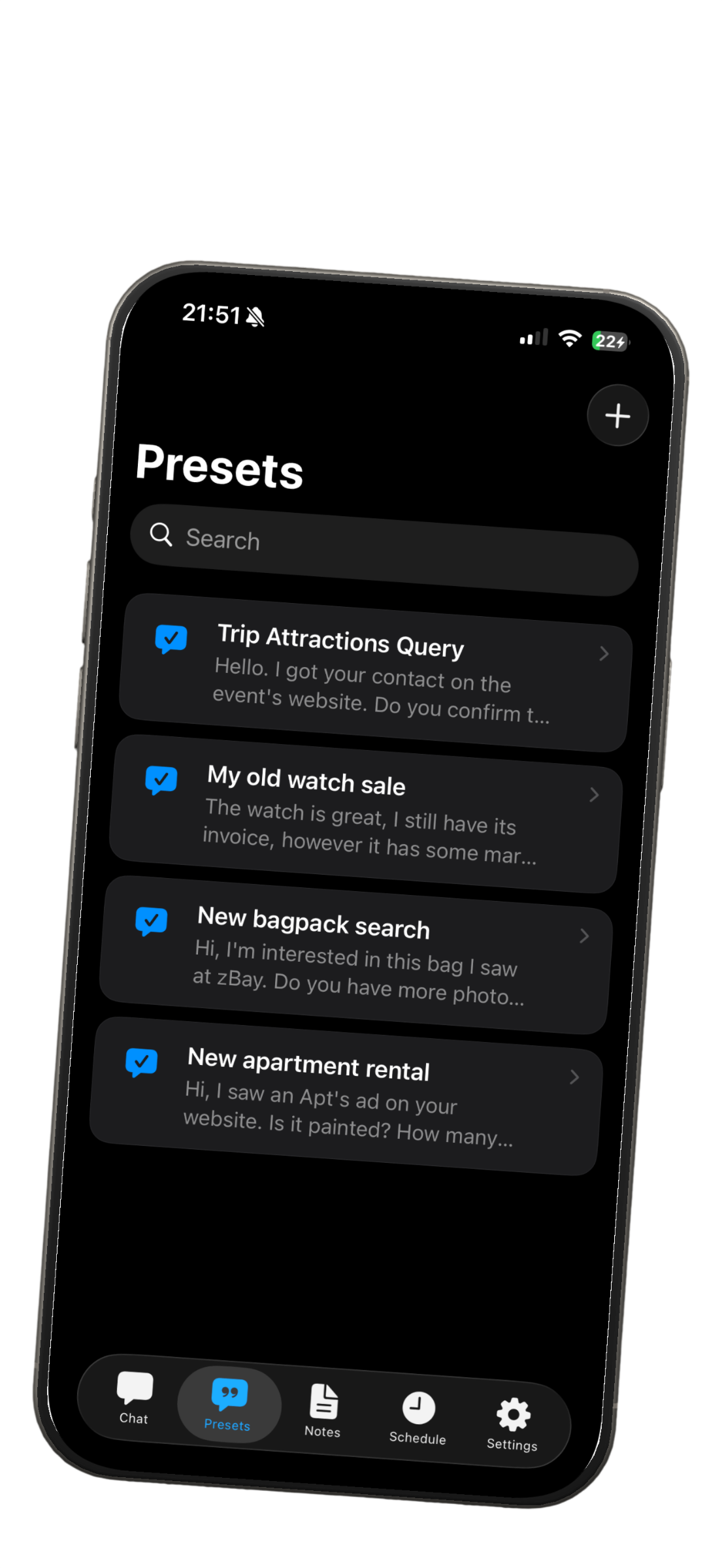
Create preset messages for common scenarios — price inquiries, sales pitches, follow-ups. Pick a template and send it instantly, no retyping needed.

  • Create custom message templates
  • Reuse common messages in one tap
  • Quick-access from the chat screen
DirectChat message templates for quick sending
Management

Rename, note, schedule.
Your temp contacts.

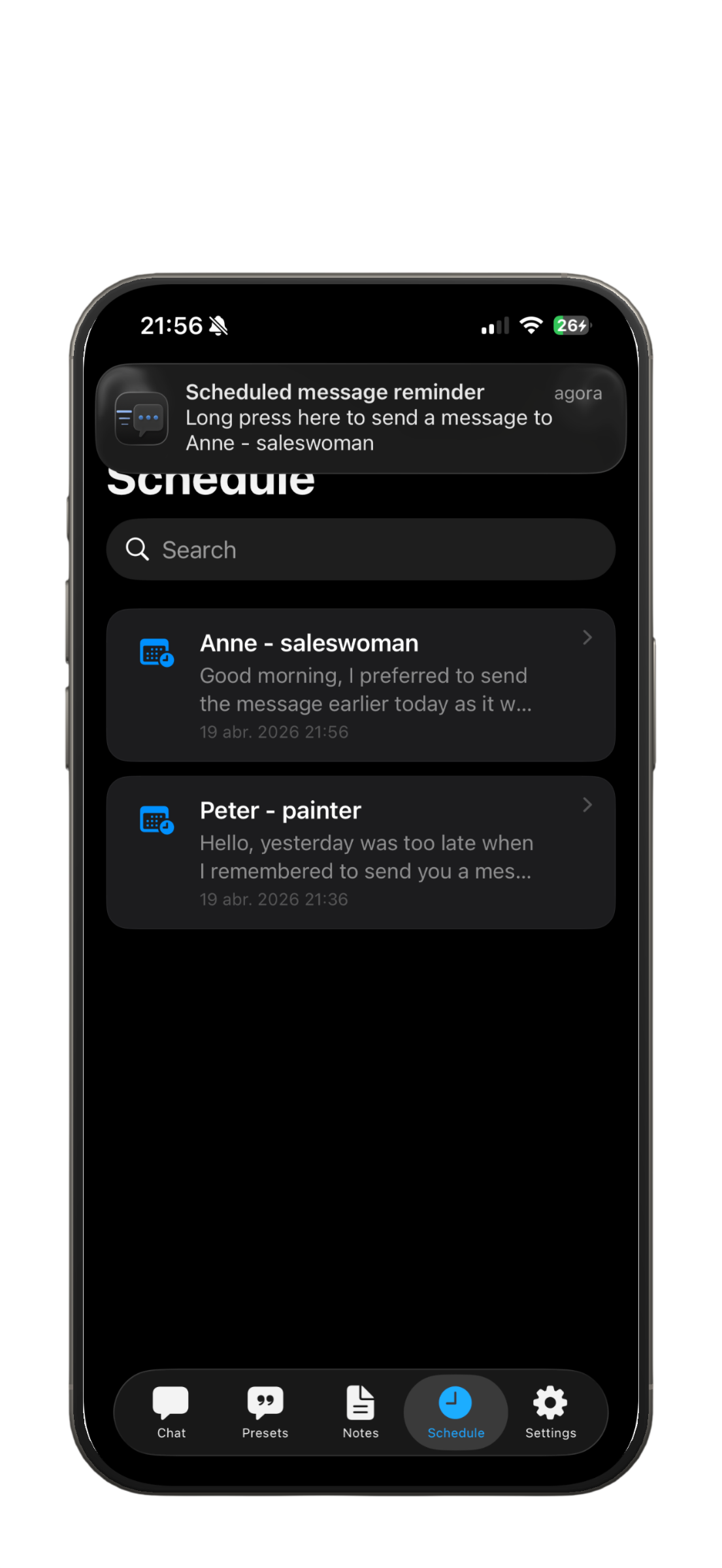
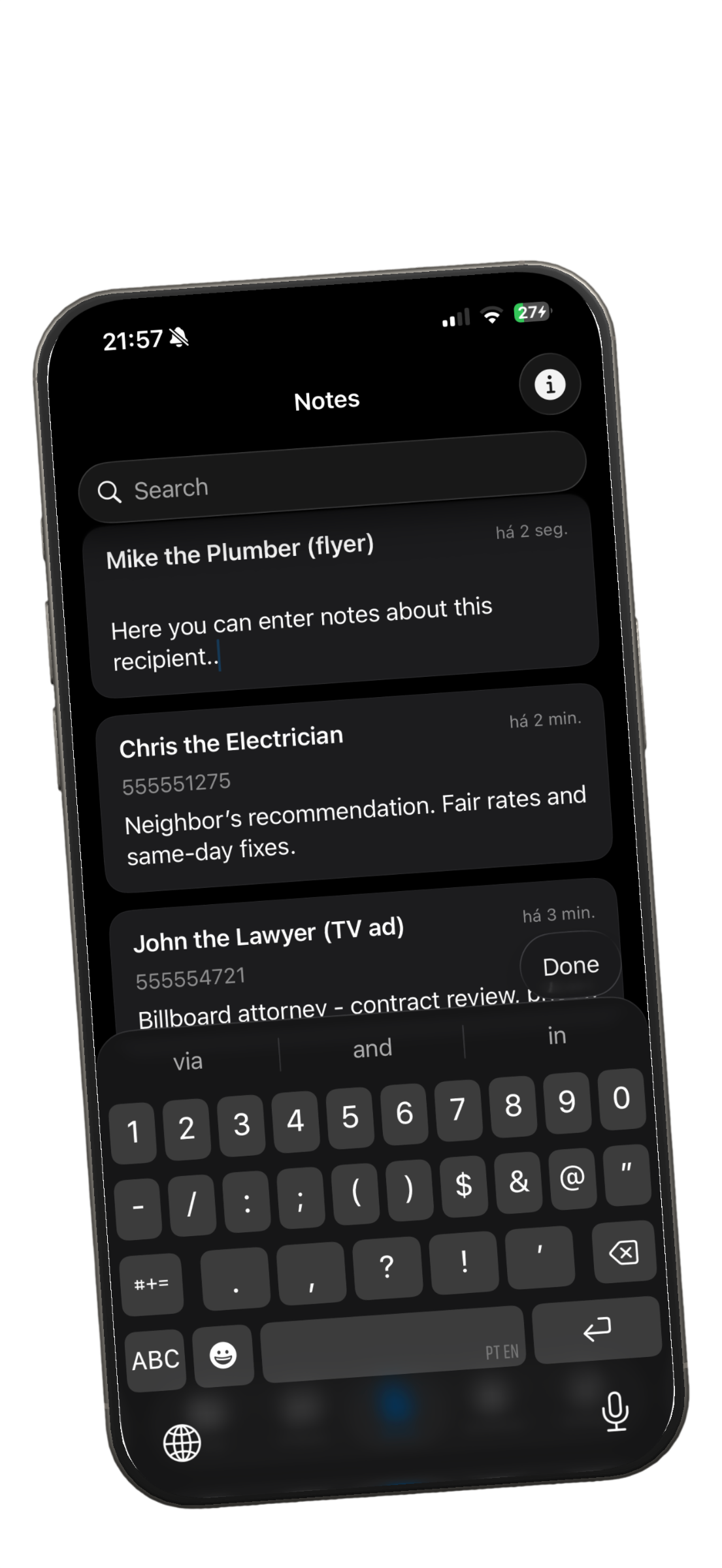
Keep a clean list of people you message temporarily. Rename them so you remember who's who, attach notes with prices or details, and schedule messages for the right moment.

  • Rename, delete, or add to contacts
  • Create preset messages for quick sending
  • Schedule messages for later (Premium)
DirectChat scheduled messages DirectChat notes attached to numbers

Take it further with Premium

One purchase. Lifetime license. No subscriptions.

Lifetime License

DirectChat Premium

One-time purchase · All features forever

Unlock All Features
Unlimited saved recents
Schedule messages for later
Biometric & passcode lock
Notes attached to numbers
Home screen widgets
Ad-free experience

How it works

Three steps and you're chatting.

1

Open DirectChat

Download from the App Store and open the app. Your country code is detected automatically.

2

Enter or paste a number

Type a phone number or paste from any app — DirectChat extracts only the digits for you.

3

Start chatting

Tap "New Chat" and WhatsApp opens directly. Your contact list stays clean, your profile stays private.

Available on the App Store

iPhone · Requires iOS 18 or later

3

Platforms

Free

To start

73 ratings

Frequently asked

Everything you need to know before downloading.

What is DirectChat?

DirectChat is an iOS app that lets you send WhatsApp, SMS, and Telegram messages without adding the recipient to your contacts. Just enter or paste a phone number, tap chat, and start messaging — your profile stays private.

How does DirectChat protect my privacy?

When you send a message through DirectChat, your profile photo, last seen status, and about info remain hidden from the recipient because they are not saved as a contact. You control what you share and when.

Does DirectChat work with SMS and Telegram?

Yes. DirectChat supports WhatsApp, SMS (via the Messages app), and Telegram. You can switch between them with a segmented control in the app.

Is DirectChat free?

Yes, DirectChat is free to download and use. The free version lets you send messages without saving contacts, use smart clipboard, and keep your last recent. A one-time Premium purchase unlocks unlimited recents, scheduled messages, biometric lock, notes, widgets, and removes ads.

What are Premium features?

DirectChat Premium is a lifetime license that unlocks: unlimited saved recents, scheduled messages via local notifications, notes attached to numbers, biometric or passcode app lock, home screen widgets, preset country and area codes, and ad removal.

Does DirectChat need access to my contacts?

No. DirectChat does not require access to your contacts to work. It only needs a phone number to open a chat. If you choose to add someone to your contacts later, it will ask for permission at that point.

Ready?

As simple as
sending a message.
Try it.

Free to download. No account required.

Download on the App Store